A dispatch map for the office. A technician tracker for the team. An arrival map for the customer. Three relevant capabilities from the City Garage Door Service CRM, ready to inspire your own build.
This interactive concept uses fictional appointments and positions. The descriptions below reflect inspected CRM capabilities. Location freshness depends on technician sharing, device permission and connectivity; arrival estimates are entered by the team.
01
DISPATCH MAP
Give the office geographic context.
See appointment locations and explicitly shared technician positions together, so the next conversation starts with the same picture.
View service, estimate, installation, follow-up and meeting locations.
Filter by technician or find unassigned work.
Open appointment details or launch external Apple Maps driving directions.
Spot missing or ambiguous addresses that need review.
02
TECHNICIAN TRACKER
Know who is moving the work forward.
See a technician’s shared position beside their profile and current job, with a clear indication of when that location was captured.
Connect team profiles and photos with current On My Way or In Progress jobs.
Open the current job from the tracker.
Distinguish recent, stale, saved and unavailable positions.
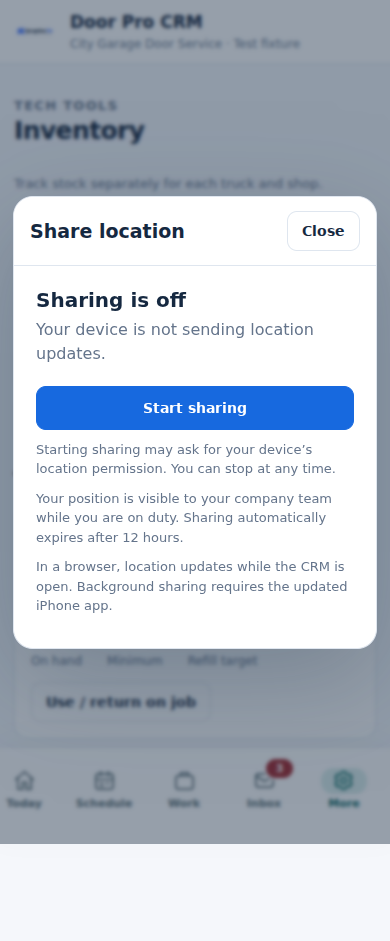
Give technicians Start, Resume and Stop sharing controls, subject to device permission.
03
CUSTOMER TRACKING MAP
Make the arrival feel more personal.
An On My Way message can bring the customer to a private arrival page, introducing the technician and showing their shared location.
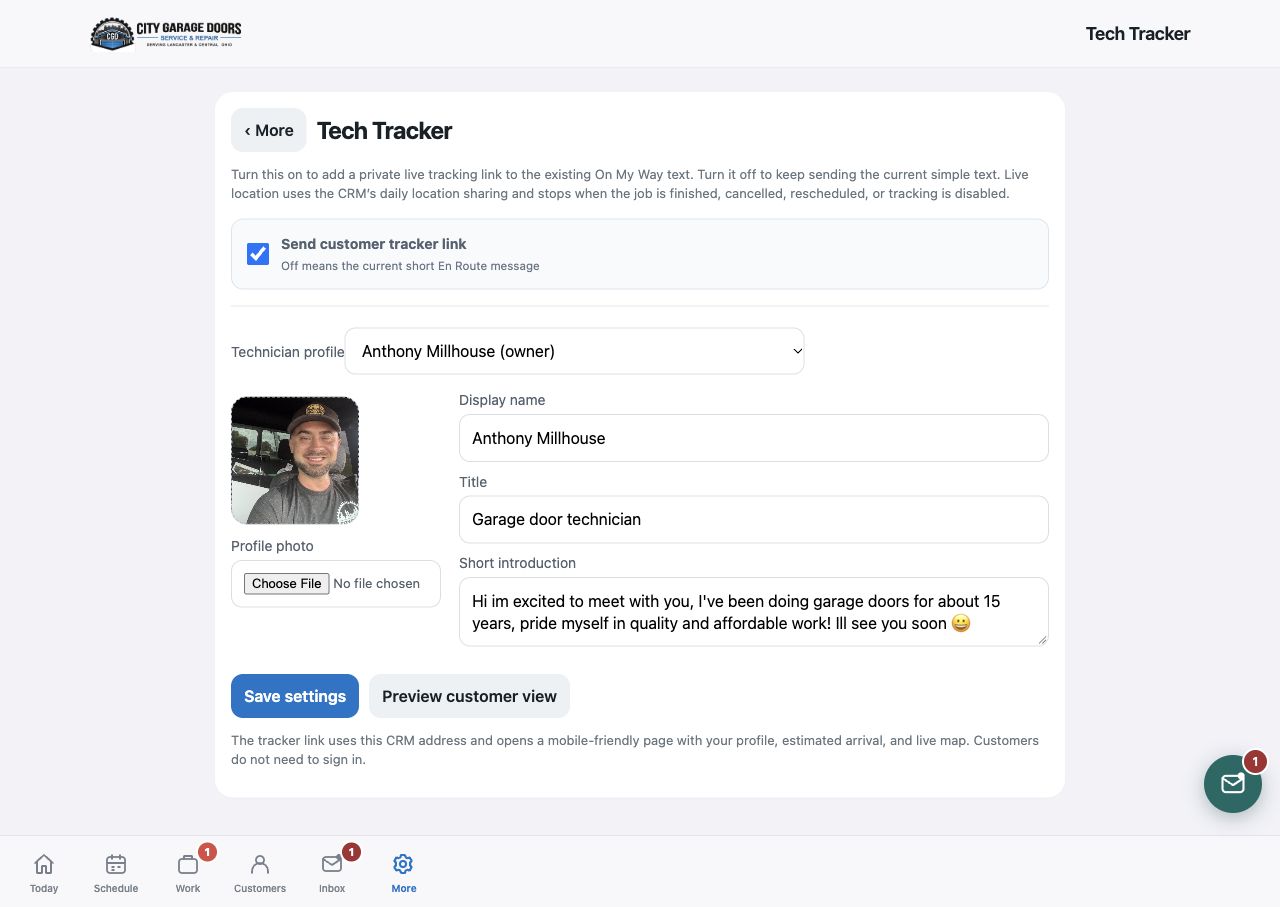
Show the technician’s photo, name, title and introduction.
Display destination and technician pins with location-update context.
Count down from the travel time entered by the technician.
Open a private customer link without a customer login; SMS requires provider setup.
FROM ASSIGNMENT TO ARRIVAL
One handoff. Four clear steps.
How dispatch, team visibility and customer communication could work together in your service business.
01
Schedule & assign
Set the appointment and responsible technician.
02
Coordinate the day
Review appointment pins, shared crew positions and addresses.
03
Send On My Way
Enter expected travel time and send the customer’s tracker link when enabled.
04
Keep arrival in view
The office sees the current job; the customer sees their technician and latest shared position.
FROM THE CRM THAT STARTED IT
Real controls. A practical foundation.
Original screenshots from the garage door CRM. These show the technician profile and sharing controls behind the tracking experience. The map above is an illustrative concept.
Actual CRM panel in a synthetic test fixture, showing sharing status and controls. No customer or live technician locations are displayed.
About the map examples
Capabilities were checked against the City Garage Door Service CRM source snapshot dated October 25, 2026. Screenshots show their described settings and controls. The interactive map uses fictional sample records and schematic geography. A new CRM would need its own mapping provider configuration, access rules and testing.
Arrival estimates are entered manually. External driving directions and planned stop order are supported examples; traffic-aware estimates and route optimization would require a separate custom build.